For Real Estate Professionals
Serving AGENTS in the South Florida Area.
Checkmark Inspections helps South Florida real estate professionals and their clients understand inspection findings.
From scheduling to reviewing the report, clear communication helps your clients make informed decisions. Ernesto Gil, Certified Master Inspector®, serves buyers and sellers in Broward County, Miami-Dade County and Palm Beach County.
We explain observed concerns, provide photo-based reports and identify situations that need further evaluation. Explore our inspection services and report features.
Inspection findings support informed decisions. Technical, legal and financial questions should be directed to the appropriate qualified professional.
CLIENT FRIENDLY
We are clear, honest and keep our findings in perspective to your clients.
TECH-SAVVY
We handle online agreements, payments and scheduling so you don’t have to worry about it.
CONVENIENT
We make ourselves available to schedule online, phone or email.
CONNECT
We’ve got your back with email, text reminders, and follow ups for you and your clients.
VISUAL
High-quality images in an HTML report so you can see what’s important. Our full, visual report is delivered within 24 hours of the inspection.
INFORMATIVE
Informational sections so you can learn about your home. We go through the report and findings with you and your agent after the inspection.
USEFUL
Issues are pointed out with who to call for more info
MOBILE-FRIENDLY
Our modern reports can be viewed on your phone or tablet.
AGENT-FRIENDLY
Our reports feature a Repair Request Document generator for our agent partners. This helps agents quickly grab the language to copy/paste into their document to ask for repairs or concessions.
Modern Home Inspection Reports That Are Helpful
Here’s How it Works
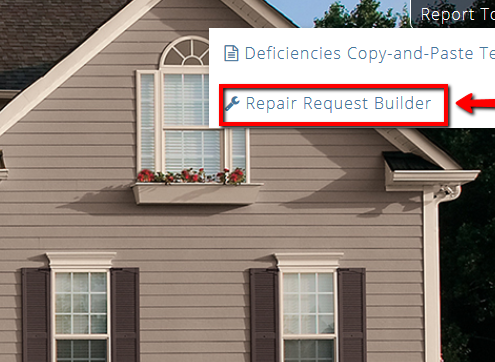
From our HTML report, click on the Agent Tools button and on Repair Request Builder
Select which recommendations you want to include in the report and add the credit amount requested or a comment.

Click preview to see what the document will look like. The running total for credits requested will appear at the top right of the Repair Request Builder.

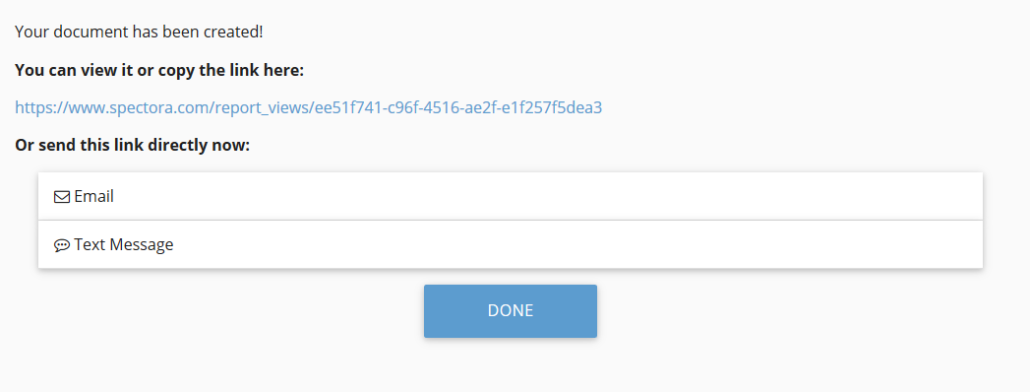
Click Create to get the link to copy/paste into your own email or send directly through the system!